
If you’re into creating images for your website, business, or social media, having the right tool to pull things together quickly can save a ton of time. That’s exactly why I’ve been using the Image Studio inside Wealthy Affiliate…it puts all the image creation features I used to juggle across multiple platforms right where I do my other work.
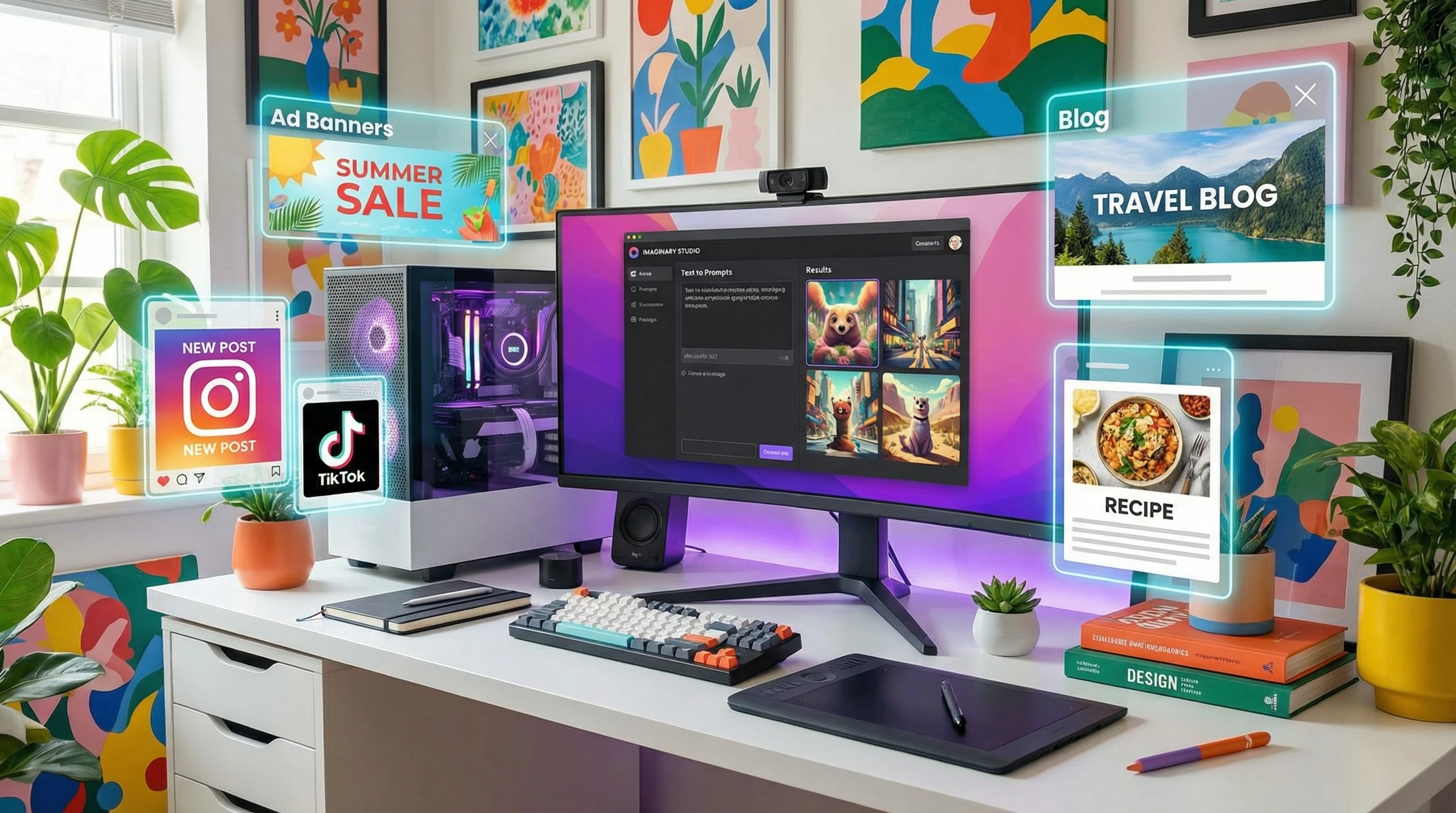
The New Standard for Fast, High Quality Image Creation
The Image Studio is built for people who want their images done fast without having to bother with outside services or complicated software. If you run a blog, post on social, sell stuff online, or work with clients, you can design almost anything you can think of right inside the Wealthy Affiliate platform (and you can try it out for free).
I’ve tried making everything from YouTube thumbnails and book covers to product mockups, social ads, and even those random graphics for hyper niche blog topics. The best part is, you can do all this in seconds. Just give it a prompt, choose your settings if you want, and let the system do its thing.
Even if you don’t have a graphic design background, it’s simple to get moving. The system guides you through prompts, and suggestions make it easy to find inspiration or spark new visual ideas. Whether you’re a pro or just dabbling on the side, it’s built to match your pace and needs.
Edit and Finish Everything in One Place
There’s an editor built right into the Studio that takes things up a notch. Need to erase an object, tweak the background, add your brand text, or reshape the scene a bit? It’s as easy as a couple of clicks. Sometimes I use the Edit tool to remove a background distraction or expand the borders to fit a social post, and it just works.
No need to export your design and reload it into a separate editor like Canva or Photoshop, everything’s handled in one workflow.
For people who like to customize things, you can go from your first prompt to a totally polished graphic (ads, memes, infographics, concept art, whatever you want) without ever leaving one tab. That really speeds things up, especially on deadline days.
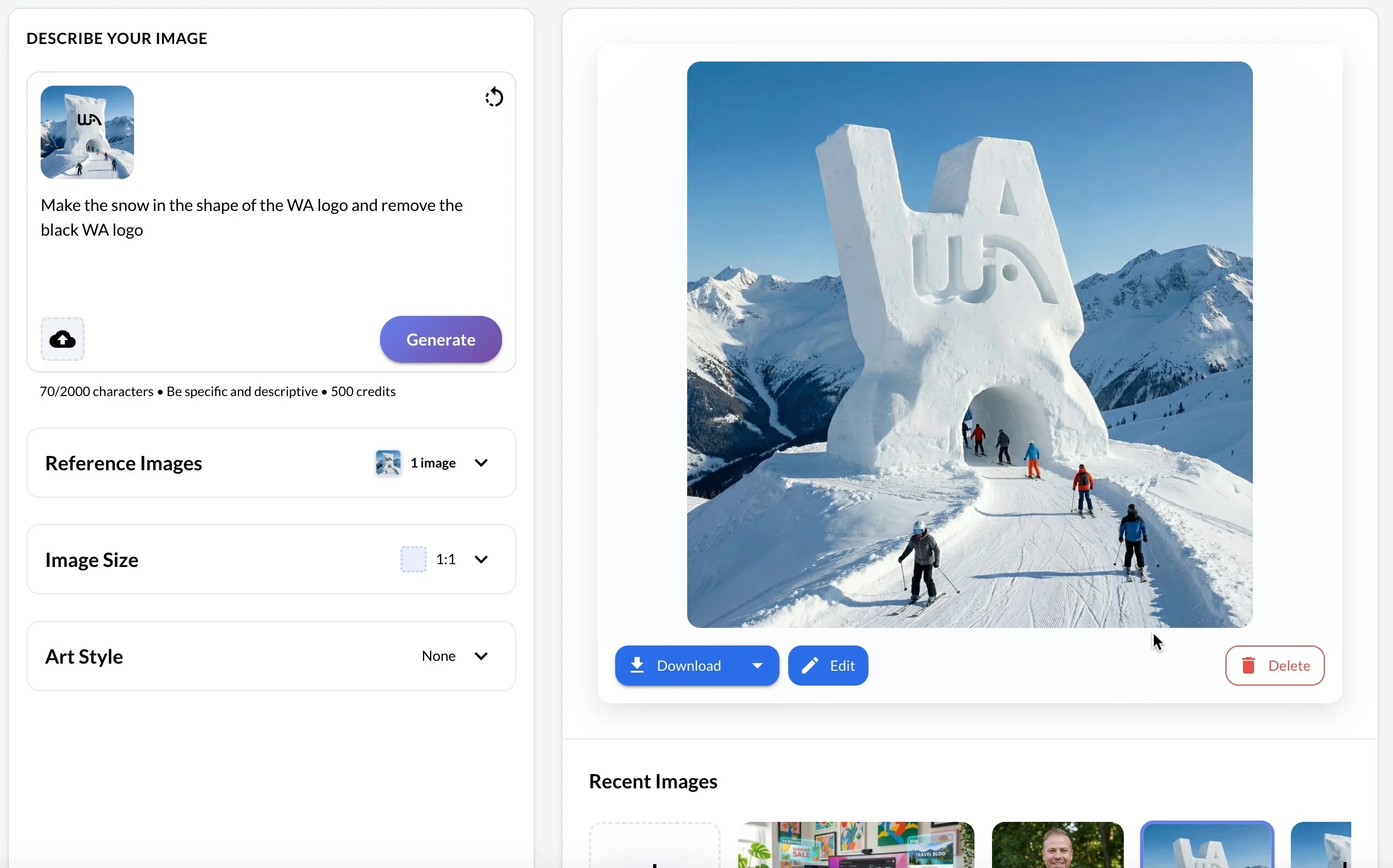
The editor also lets you resize images on demand. For example, you can quickly take a creative ad for a Facebook campaign and adapt it to an Instagram post by tweaking the dimensions without starting from scratch. This kind of flexibility is usually locked behind pricier tools, but here it’s built in and seamless.
Create Your Free Wealthy Affiliate Account & Get Instant Access to Image Studio
Real World Ways People Are Using Image Studio
People in the Wealthy Affiliate community are finding all sorts of clever uses for the Studio. I’ve seen folks create:
- Blog and Website Images: Quick feature images, step by step graphics, or creative headers that look unique. All of the images on this page were generated using the image studio.
- Social Content: Pinterest pins, Facebook banner ads, Instagram memes, and carousel graphics ready for sharing.
- Ecommerce & Real Estate Shots: Product photos, mockups for new ideas, staged real estate interiors for listings.
- Thumbnails & Covers: YouTube thumbnails, ebook and audiobook covers, and even children’s book illustrations.
- Microbusiness Design: People are even starting small businesses around content creation, cranking out graphics by request with the Studio tools.
I’ve personally used it for quick local business promos. A pizza shop owner needed a flyer for a last minute lunch special one afternoon, and I just spun up a fresh image and added the details, all done and emailed in about five minutes. Tools like this make side hustles way more doable, and can be accomplished without the headache of needing a media team.
Here is an example ad that I just created in seconds for an “imaginary” pizza shop, but this could be replaced with anything.

Another cool use case is seasonal promotions. For example, I used it last month to whip up a set of spring themed graphics for a gardening client (headers, sidebars, and callouts) without having to pay for stock images or struggle with awkward resizing. The versatility really shines when you’re rushing to meet a campaign deadline.
How It All Works: Behind the Scenes
Under the hood, the Image Studio runs on the top AI models at all times, keeping you ahead of industry and allowing you to create the highest quality work possible. Gone are the days where you need a digital team or need to be digital design expert, you can create even better work than they could have in an instant…and it’s drive by your ideas.
Every few weeks there are new iterations and features that makes a difference for the projects I’m working on, so the pace of improvement is pretty impressive right now. The ongoing feedback loop from creators and businesses is helping shape the Image Studio into an even more useful platform for both solo entrepreneurs and growing agencies.
Building Your Brand and Workflow in One Ecosystem
Image Studio is set up to be your central hub for visual content creation. No more hopping between freebie tools, downloads, or third party templates. That’s really important if you’re building a consistent brand or want your visuals to have a professional touch without spending all day bouncing files around or struggling with non-designer software.
With higher quality, built in editing, it’s more like a full ecosystem than just a quick tool. Having this all-in-one space makes content creation faster and more fun, plus it’s a time and money saver for anyone taking their online business seriously. It gives your workflow a boost and keeps your creative assets organized and easy to repurpose across platforms.
If you’re planning to ramp up your content or scale a project, it’s reassuring to know you have both the flexibility and power at your fingertips, without needing to buy lots of extra software. As the Studio continues to expand, expect more tools that help you push your creative limits and save even more time with automations.
Frequently Asked Questions
People often ask about the ins and outs, so I’ll answer a few common questions I’ve heard from new users:
Question: How fast can I make a usable image with Image Studio?
Answer: Most regular images take less than 10 seconds from prompt to download, with editing adding maybe a minute more depending on how picky you want to be.
Question: Do I need design experience to get good results?
Answer: Not at all. The Studio is designed so anyone can get decent results from the start. Templates and prompt suggestions help even if you’re not sure what to type or pick.
Question: What image types and sizes can I make?
Answer: Pretty much everything you’d need for a normal business—website banners, blog images, product shots, meme size, ad banners, book covers, and a bunch of social formats like Pinterest and Instagram.
Question: Is there a way to keep image rights for what I create?
Answer: Anything you make with Image Studio is yours to use. There’s also flexibility in how you set sharing and remixing preferences for what you publish to the community.
You can create a FREE account at Wealthy Affiliate (get 2,000 AI credits), and start building right away.
If you have any questions or you want to share a story about your use of the Image Studio platform at Wealthy Affiliate, feel free to leave your comments below.